
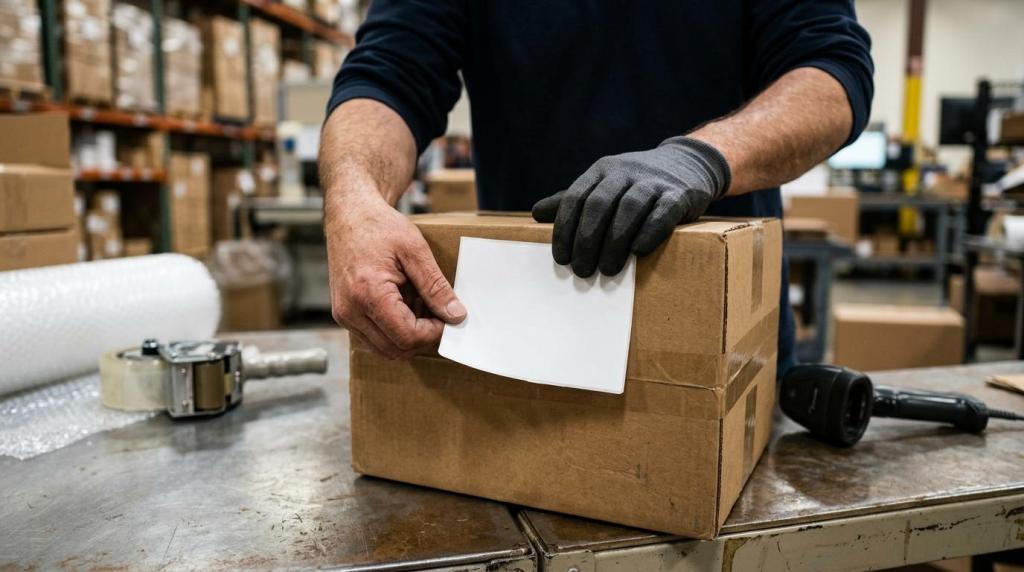
The moment a customer completes checkout on a Shopify store, the sales orders begin moving through two linked systems at once, and customers can easily check their order status. One is customer-facing, where payment is confirmed and order updates appear in Shopify. The other is operational, where the fulfilment team starts the work of validating, picking, packing, and managing the shipping process of the parcel.
If a business uses a third-party logistics provider, or 3PL, much of this flow can happen automatically. A connected partner such as 3PLWOW can import orders from Shopify, match them to stock in the warehouse, process fulfilment, then return tracking details back to the store. To the customer, it can look simple. Behind the scenes, it is a tightly managed sequence.
Shopify order status after checkout
As soon as the order is placed, and payment confirmation is received, Shopify records it as a live order that still needs work, where the admin monitors the fulfillment status actively, including any discounts applied. In Shopify terms, it is usually Open and its fulfilment status is Unfulfilled. At the same time, the customer usually receives an order confirmation email, which reassures them that the purchase was accepted.
Payment is one of the first checks in the sequence. Many stores capture payment automatically when the order is placed. Some choose manual capture instead, which gives the merchant time to review stock, risk signals, or other details before charging the customer.
That means the early part of the process often looks like this:
- Order confirmation sent
- Payment captured or awaiting capture
- Fulfilment still pending
- Order visible in Shopify admin
- Customer waiting for dispatch details
This first stage matters because everything that follows depends on clean order data. If the payment is valid, the delivery address is usable, and the products are in stock, the order can pass smoothly into fulfilment.
How a 3PL receives Shopify orders automatically
Once Shopify has accepted the order, a 3PL integration can pull that order into the warehouse system. With a provider that supports Shopify integration, the process is often automated rather than manual. The order data travels from the store into the fulfilment platform, where each item, quantity, and shipping method can be interpreted by warehouse software for accurate processing of orders.
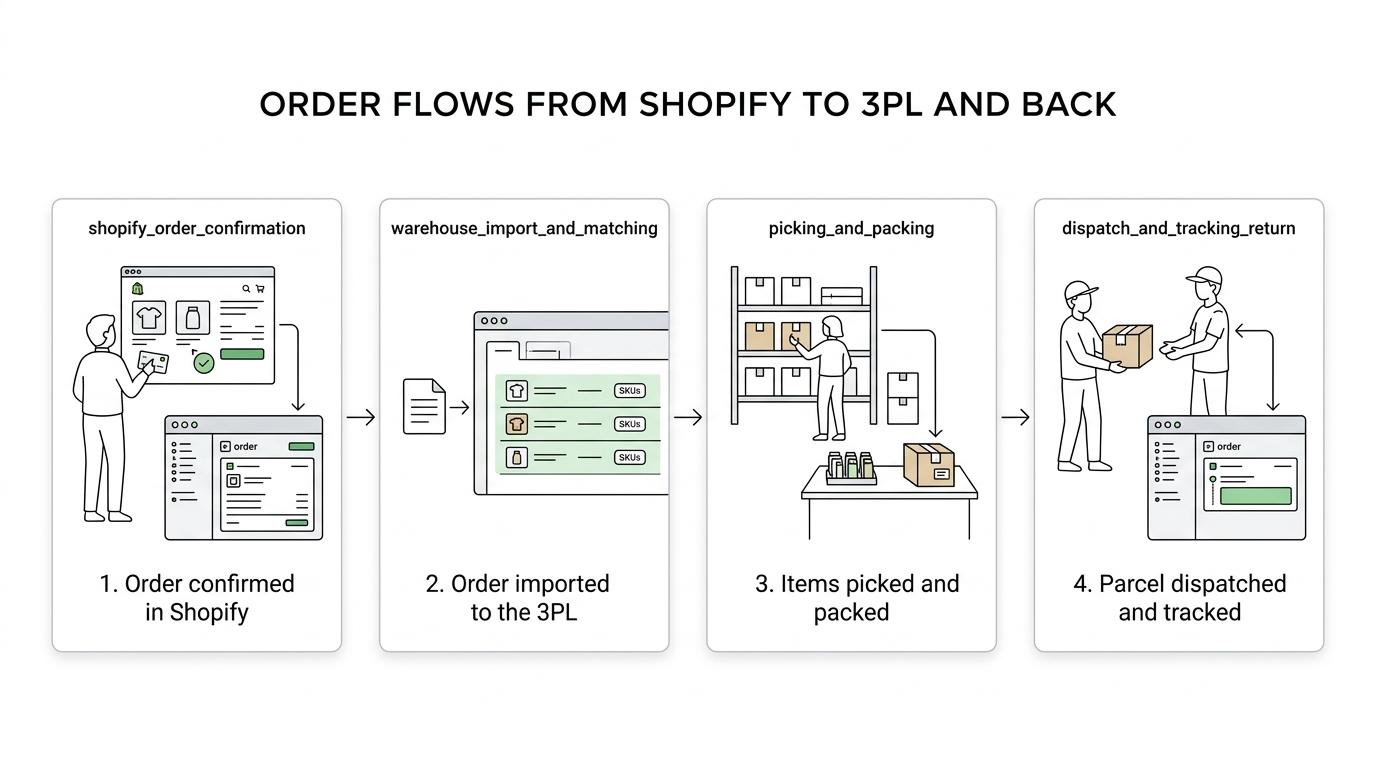
This is where order import and inventory mapping come into play. Inventory mapping means the SKUs used in Shopify are matched correctly to the SKUs held in the warehouse. If that mapping is correct, the warehouse system knows exactly which products should be allocated to the order.
A connected 3PL typically checks several things before the order is released to the floor:
- Order import: the order appears in the fulfilment system with customer, item and shipping data
- SKU mapping: each Shopify line item matches a physical product in warehouse stock
- Stock allocation: available units are reserved against the order
- Service selection: the right courier service is tied to the delivery option chosen at checkout
- Exception handling: any mismatch, missing detail or stock issue can trigger a hold for review
In a well-run operation, this happens quickly, often within minutes. The speed is valuable, yet accuracy is even more important. A fast import is only useful if it prevents the wrong product, the wrong label, or the wrong destination.
Shopify fulfilment workflow from order import to dispatch
The operational path after checkout can be easier to follow when it is broken into stages. The table below shows a typical flow for a Shopify order being handled by a 3PL warehouse.
| Stage | What happens in Shopify | What happens at the 3PL |
|---|---|---|
| Order placed | Order created, confirmation sent | Waiting for import or instant import begins |
| Payment stage | Payment captured automatically or manually | Order may remain on hold until approved |
| Fulfilment stage | Order still marked unfulfilled | Stock allocated, order queued for picking |
| Picking | No customer-facing change yet | Picker retrieves items from storage locations |
| Packing | Still unfulfilled until completed | Items checked, packed, labelled, paperwork added if needed |
| Dispatch | Fulfilment completed | Parcel handed to carrier, manifest closed |
| Tracking stage | Tracking number added to order | Tracking pushed back to Shopify and customer notifications triggered |
This split view helps explain why a customer may receive payment confirmation for their orders immediately but not dispatch information until later. Shopify has the order from the first second. The warehouse still has to complete physical work before fulfilment can be marked as done.
Warehouse order processing and stock allocation
Before anyone picks a product from a shelf, the order, along with its order status, usually passes through a processing layer inside the warehouse management system. This is where stock is reserved and operational rules are applied by the admin.
If the same product is sold on multiple channels, the 3PL system may be balancing availability across several storefronts at once. Accurate stock visibility becomes essential here. A strong integration pushes inventory updates between the warehouse and Shopify so that stock counts stay current and overselling is less likely.
This stage can also include practical checks that customers never see:
- address validation
- courier rule matching
- shipping cut-off checks
- batch planning for same-day dispatch
- hold flags for missing or unusual data
For merchants, this processing stage is often the line between reactive fulfilment and controlled fulfilment. Orders are not just printed and rushed out. They are filtered through a system that aims to keep service levels high as volume rises.
Picking and packing at the fulfilment centre
Once the order is released, warehouse staff or automation tools begin picking. The picker receives a task list showing the storage locations, quantities and product details needed for that order. In some warehouses, this happens one order at a time. In others, multiple orders including those with discounts are grouped into efficient pick runs.
Picking accuracy is central to customer satisfaction. A beautifully packed parcel still fails if the wrong item is inside. That is why many 3PL operations use barcode scans or item checks during picking and packing.
Packing is where the orders become parcels. The products are checked, placed into suitable packaging, protected for transit, and matched with the shipping label. Packaging choices can vary depending on product type, fragility, presentation requirements, or letterbox suitability.
A typical packing station may include these decisions:
- Box or mailer choice: based on product dimensions, weight and protection needs
- Brand presentation: inserts, branded packaging or promotional material if the merchant requests them
- Final verification: barcode scan or visual check against the order record
- Label application: shipping label fixed to the parcel once contents are confirmed
This is also the point where special instructions are most likely to matter. Gift notes, bundle assembly, subscription packs, fragile handling, or batch-sensitive goods all need the packing team to follow precise rules.
Dispatch and carrier handover after fulfilment
After packing, the order moves to dispatch. In warehouse terms, this is the handover from the internal fulfilment to the external carrier network, marking a key step in the shipping process. The parcel is sorted by courier, route or service level, then included in the day’s collection or drop-off schedule.
When the parcel is officially processed for shipment, the fulfillment status in Shopify can be updated to reflect the sales completion. That change is important because it marks the transition from “being prepared” to “on its way”, and provides customers with real-time order status updates. Once the label and carrier details are final, the tracking number can be attached to the orders.
For fast-moving ecommerce brands, dispatch timing affects far more than customer mood. It shapes delivery promise accuracy, repeat purchase rates and support workload. If parcels leave the warehouse on time, customer service teams spend less time answering “Where is my order?” messages.
Tracking updates returned to Shopify
One of the most valuable parts of a Shopify and 3PL connection is the return flow of tracking data. The warehouse does not just send the parcel out. It also sends information back to the store.
When the 3PL posts tracking details into Shopify, the order status page can reflect that update for all orders. Customers may then receive shipping notifications and can monitor progress through the tracking link, order status page, or connected apps. This closes the loop between warehouse action and customer visibility.
For the merchant, this feedback loop is just as useful. It keeps the store admin accurate without constant manual updates. It also gives support teams a shared version of the truth when customers ask about dispatch or delivery.
The most useful status signals are usually:
- order imported
- processing in warehouse
- dispatched
- tracking number assigned
- delivered, depending on carrier feedback
When those signals move cleanly between systems, the whole post-purchase experience feels more reliable.
Common exceptions after a Shopify order is placed
Not every order follows the perfect path. Real fulfilment operations deal with exceptions every day, and good systems are built to catch them early.
An order might be paused because payment is under review. A SKU may not map correctly. A product could be out of stock, damaged, or stored in a way that requires a manual check. The shipping address might fail validation, or the order may need to be split because one item is on backorder.
These are common examples:
- Payment hold: the order waits until the merchant approves or captures payment
- Stock issue: one or more items are unavailable, so the order may pause or be split
- Address problem: missing house number, postcode mismatch, or unsupported destination
- Product exception: damaged stock, barcode mismatch, or bundle components not matching
- Carrier restriction: the chosen service cannot accept the parcel size, weight, or contents
The strength of a 3PL is not that exceptions never happen. It is that there is a process for spotting them, isolating them, and keeping the rest of the day’s orders moving.
What merchants can see while Shopify orders move through a 3PL
From the merchant side, visibility into the shipping process, including fulfillment status, matters almost as much as fulfilment speed. A 3PL client portal or connected dashboard can give live order status, stock visibility, and shipment data while orders move through the warehouse, allowing the admin to monitor progress and address issues quickly.
That means a store owner is not limited to the customer-facing view inside Shopify. They can often see which orders were imported, which are being processed, which have shipped, and which need attention. If the provider supports reporting and returns management, that view can extend beyond dispatch into the wider post-purchase operation.
For growing Shopify brands, this visibility changes the role of fulfilment from a back-room task to a managed performance function. Orders are not just “sent out”. They are tracked through a chain of operational steps, each one affecting customer trust, sales, margin and repeat revenue.
A single click at checkout can start a surprisingly disciplined process: payment captured, payment confirmation received, order imported, stock allocated, items picked, parcel packed, label printed, discounts applied, shipment dispatched, tracking returned. When Shopify and a capable 3PL are properly connected, those steps become faster, clearer and far easier to scale.